
ShapeMaster User Guide
Context Sensitive Help is a quick and easy way to find relevant help when you are working in ShapeMaster.
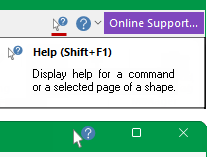
For help with a command button or a shape property window simply click on Context Help  button [the cursor will change to a question mark
  ] and then click on the command or shape page.
For help on Property Inspector options/settings, click on the  icon in the title bar [the cursor will change to a question mark ] then click on the property sheet.
- How do I setup ShapeMaster Defaults?
- Lost/hidden category tree i.e. when I open, for example the Drawing Properties, I only see one page i.e. About page.
- What is the difference between a Catalog and a Library?
- What is the difference between a Catalog, the Drawing and Shape Properties?
- How do I update my Catalog/Library with newly released shapes i.e. Add Unused Based Ons? (Video)
What do the following messages mean?
- How do I generate and export a report to Word? (Video)
- How do I print multiple pages i.e. select a print range? (Video)