
ShapeMaster User Guide
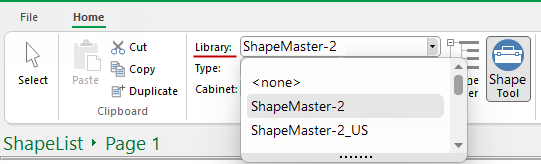
A starter catalog (.qim) and a 'Based on' library (.qil) is provided to all users which are located in the <your ShapeMaster>/Library folder. Library Properties are overwritten with Catalog properties and together they initialise Drawing properties for a new drawing.
When loading a library, by default, ShapeMaster looks for a .qim file as well as a .qil file, and loads them both together. The shape image gallery is the .qiz file.
This makes it possible to duplicate and rename the original ShapeMaster catalog (.qim) file, so that multiple catalogs (.qim) can be used with only one library file (.qil). See topic on the Library Catalog Manager, as this is where you can fully customise catalog files (.qim).