ShapeMaster User Guide
 |
This purple button  initiates online support. For a complete discussion, see Support topic.

Step into the future with Context Help ! Gone are the days where you spend hours searching through documentation for the right information.
If you have landed here when using the button, try again! You may have accidently clicked on a void area.
 Watch the Video on how Context Help works and other available help tools.
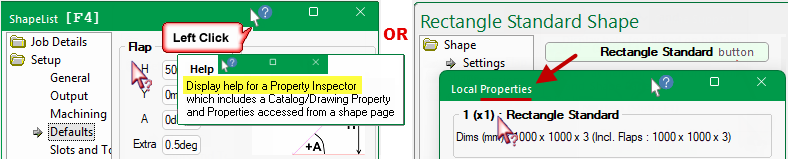
There are two types of Context Help which can be used to quickly and easily locate relevant help topics in this user guide.
 button located on the top right of the main window;

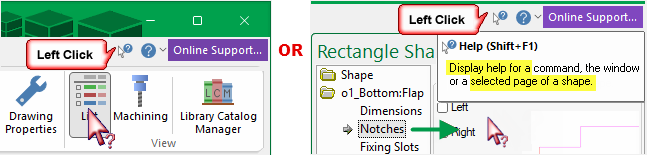

Keyboard Shortcut: F1
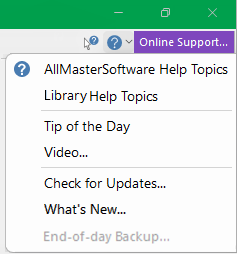
Opens the ShapeMaster Users Guide (this document) which covers all features including the ShapeMaster Library.
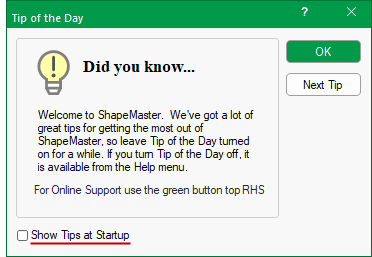
Displays the Tip of the Day dialog, which gives you handy hints on using ShapeMaster.
This dialog will also be shown automatically when you start the program, but can be turned off by unchecking the Show Tips at Startup checkbox. Use the Next Tip button to cycle through the list of hints, and click OK to close the dialog.
Our Support Team regularly creates new videos and this option will take you directly to CabMaster Software™ YouTube site.
Where relevant, videos created by our Support Team are located at the end of the related topic within this online User Guide, as per the video below.
To find all included videos, simply type in the search bar "watch and video".
If you have an area you would like more information on, please send us an email request and we will try to get one created for you.
Automatic Updates are not available for ShapeMaster. When available our Support Team will provide you with applicable links.
This is a link to the application release update notes.
This initiates an end of day backup. It does this by executing the batch file backup.bat in the same folder as ShapeMaster.
If this option is "greyed out", it indicates that there is no existing backup.bat file. The backup.bat file can be created/modified it to suit your requirements.
 |
Minute with Mike : See how easy it is to access helpful documentation with our Context Help function. [1:35 mins]