ShapeMaster User Guide
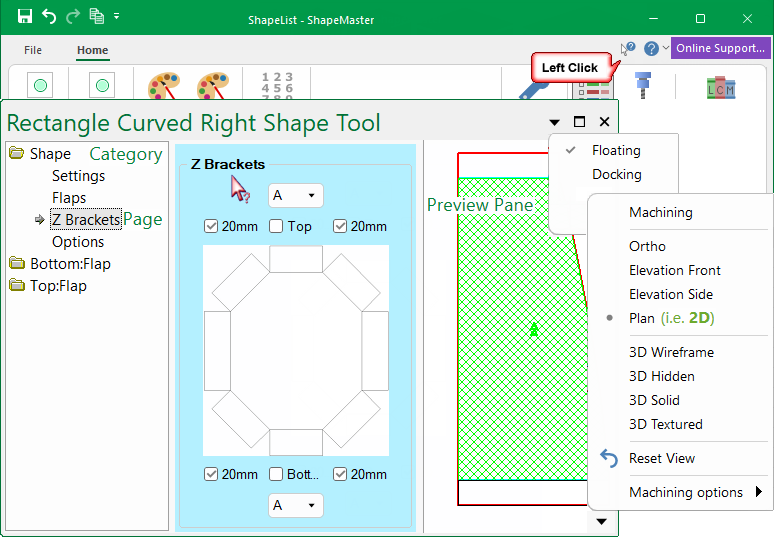
The Shape Property sheet provides the ability to override Drawing Properties and customise individual shapes. It can be set to either Docking or Floating.
See graphical representation of how properties work in relation to shape properties.
You can open the property sheets by either using the ...
The property inspector is divided into 'Categories' which are broken up into logical groups. Each 'Category' contains 'Pages' with related options. A preview of the Shape is also displayed.
Context Help is available for each page i.e. a quick link to related online documentation.
Simply click on Context Help  button [the cursor will change to a question mark
  ] and then click on the page of interest.
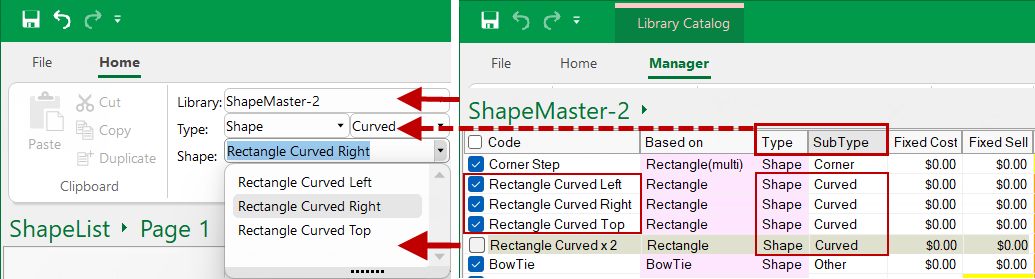
What is displayed for selection on the Home tab is determined by the Library Catalog Manager.
The shape selection can be filtered by Library, Type and Sub-Types.
Every shape has a Code name and a 'Use' check box which needs to be enabled/ticked to be displayed for selection.