ShapeMaster User Guide
CabMaster Software™ makes available a Customer Care Agreement which provides customers with regular software updates and technical support. Your Customer Care Subscription  helps protect your investment and ensures your business has the latest available release of the software products sold by CabMaster Software™.
Upgrades
A major application upgrade of ShapeMaster is released officially about once a year with the latest library build and requested shape options. Upgrades ensure that your software keeps up with Windows software and industry standards/requirements which are reflected in this guide.
Upgrades can be purchased separately - discuss this with your preferred CabMaster Software™ retailer.
Our support system is designed with the customer in mind. Simply click on the  found in the top right hand corner of your software and it will take you directly to a website that you can chat directly with a support technician during support hours. There is also a Help Centre includes a Knowledge Base with HowTo documents, a Community Forum where you can post and discuss topics with other ShapeMaster Users and you can also access all your current and previous support tickets so you go back review previous support discussions.
Customers with an active Customer Care Agreement are also encouraged to suggest "wish list" features for future releases and are looked at with the view to keeping our software product up with industry standards and requirements. It also allows you to share in the ongoing developments of the product.
Our support system is designed with the customer in mind.
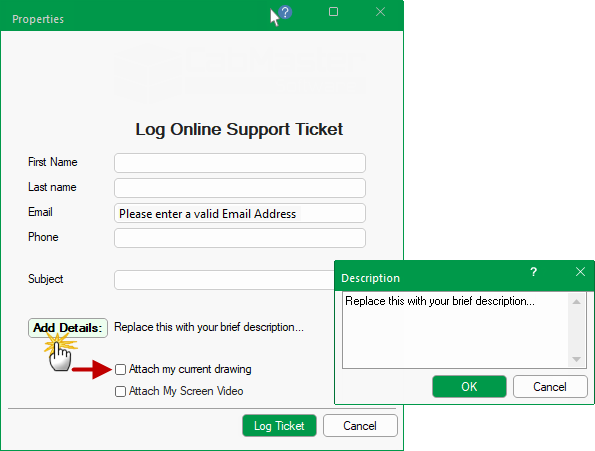
found in the top right hand corner of your software.The following dialog will be presented.
The Email address is mandatory (required fields should automatically prefill).
Click on the Add Details button and type in a brief description of your current issue.
The more Details you can provide about your issue, the easier it will be for support technicians to diagnose your problem.
Optional checkboxes can also provide support with more details pertaining to your issue...
No system details such as ID, license number etc are required as CabMaster Software™ automatically sends this information to support.
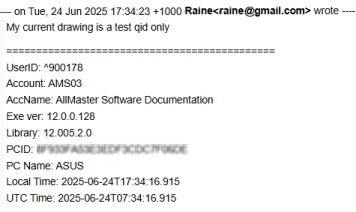
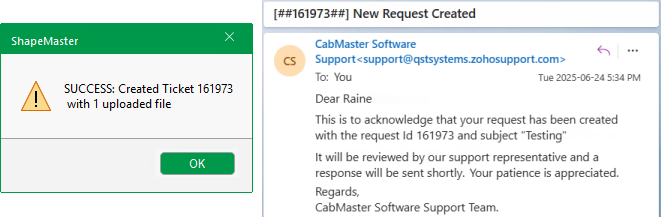
Any request for support will receive a confirmation message with ticket number and a corresponding email from the CabMaster Support Team.
Customers with a valid Customer Care Agreement are able to login and have access to support tickets.
Simply Sign In with the email address CabMaster Software™ has on file (if you have an account) or Sign Up

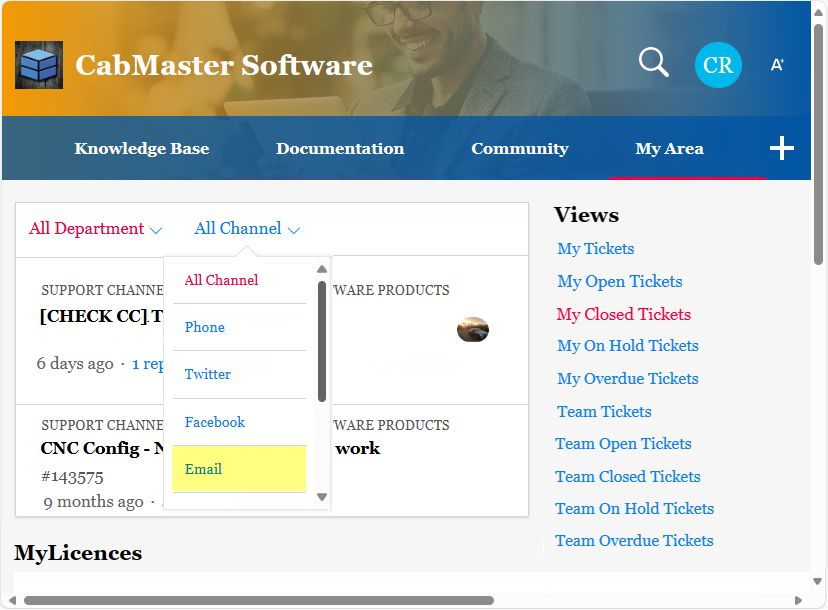
Once you have signed in, go to My Area (shown above right).
My Area is where you can also access all of your support tickets
The example shows 'My Closed Tickets' in My Area. You can filter tickets created as Email requests from within CabMaster Software™, as shown.
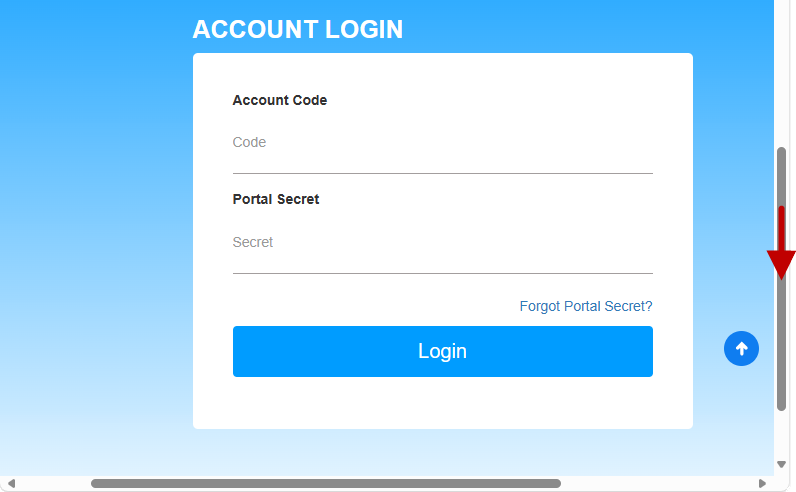
There is another Account Login area on this page for all your licences, just scroll down to the bottom.
Account Login to My Licences in My Area
To login to your account, you will need...
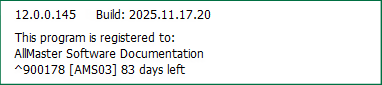
About ShapeMaster details - Click to Expand

Our CabMaster Support Team regularly creates new videos for our YouTube Channel . These videos can be on many different areas within our software from creating new buttons to modifying machining cutouts. If you have an area you would like more information on, please send us an email request and we will try to get one created for you.
 All of our live webinars are recorded and uploaded to our YouTube channel - Simply click here for a play list.
 We also have Facebook to provide you with the most up to date information and news on upcoming videos, software updates and new features.