
ShapeMaster User Guide
Sometimes the ShapeMaster application icon displays in the incorrect colour which, if you have more than one CabMaster Software™ application, can be confusing as a shortcut.
The process is simple and the same for either the taskbar or desktop shortcut.
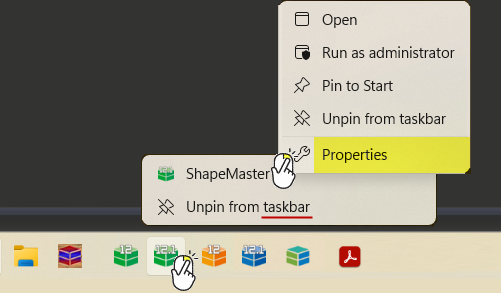
The taskbar in this example shows six CabMaster Software™ products with the correct icons.
The following example shows the desktop icon for ShapeMaster. The same process applies, the menu just has more options.
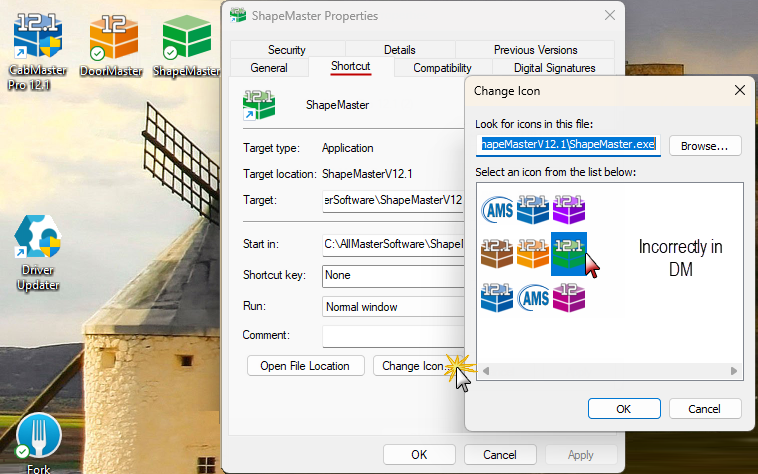
The icons should now display correctly.