
ShapeMaster User Guide
ShapeMaster Software allows you to easily create standard and custom cladding panels, visualise folding in 3D and send jobs for machining.
This User Guide is part of our commitment to providing you with the tools to get started and familiar with your business investment by explaining...
Use the Context Help feature for a quick and easy way to find relevant help when you are working in ShapeMaster!
Use Alt + left arrow to return to where you were before a hyperlink jump. Try it by clicking on any of the above links and then return here!!
Upgrades
A major application upgrade is released officially about once a year with the latest library build and requested shape options. Upgrades ensure that your software keeps up with Windows software and industry standards/requirements which are reflected in this guide.
Upgrades can be purchased separately - discuss this with your Product Consultant.
 icon for topic information.
To find videos  for example, type in the search bar "watch and video" for all videos included in this documentation.
Or to narrow down the search type in "watch and video and dimensions".
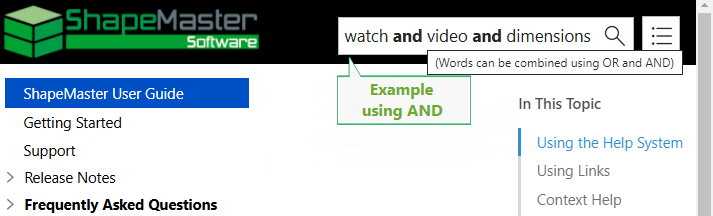
Click to view Search Result comparisons
From the list of Search Results, select the relevant topic from the list.
Note: By checking the Highlight Search terms checkbox you can highlight your search keywords in each topic.
 after them and open in a new browser window when clicked.
<-- hover over links momentarily for information on where they lead.
after them and open in a new browser window when clicked.
<-- hover over links momentarily for information on where they lead.Use Context Help for a quick and easy way to find relevant help when you are working in ShapeMaster?
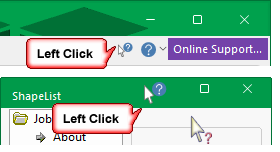
Simply, click on the Context Help  button [the cursor will change to a question mark
  ] and then click on any of the commands on the ribbon or a selected page of an opened Shape.
Or click on the Context Help  button in the title bar, as shown left, of any Property Sheet at Drawing (e.g. Job Details > About page) or Shape level and then on the relevant page.
Feature available with v12.0.0.123 and later versions.
