ShapeMaster User Guide
Officially Released August 2024
CabMaster Software™ provides customers that have a valid subscription, with technical support and regular software updates. Updates including new features and functionality as well as minor bug fixes, will be supplied when available or upon request.
The performance of ShapeMaster Software has been improved in many areas, so the overall feel and use of this new product should be noticeably quicker when pressing Exporting Machining [F8] etc. The Memory Load for larger drawings has also been reduced.
Previous versions of ShapeMaster Software had 32-bit application architecture, which means that it could only use up to 4GB of memory.

Version 12 application is now 64-bit architecture and can now use up to 16 billion GB of memory. This gives us an insane amount of memory space and helps stabilise and optimise how ShapeMaster runs on your system.
See topic on Cloud License vs USB Hardware.
Click on the link to see What's New in Version 12 in PDF format!
Some of these changes include:
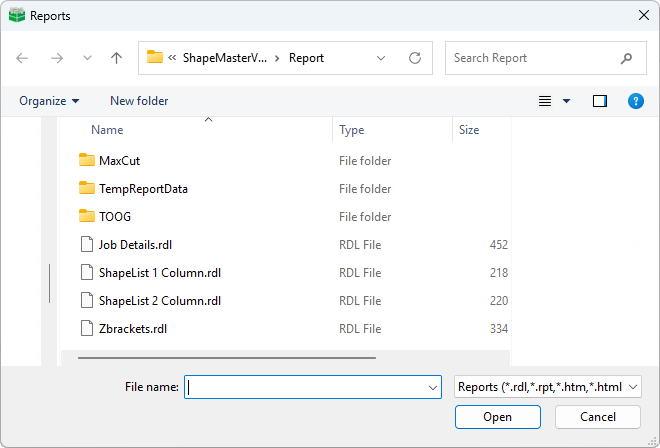
Example: File menu > Prepare > Report
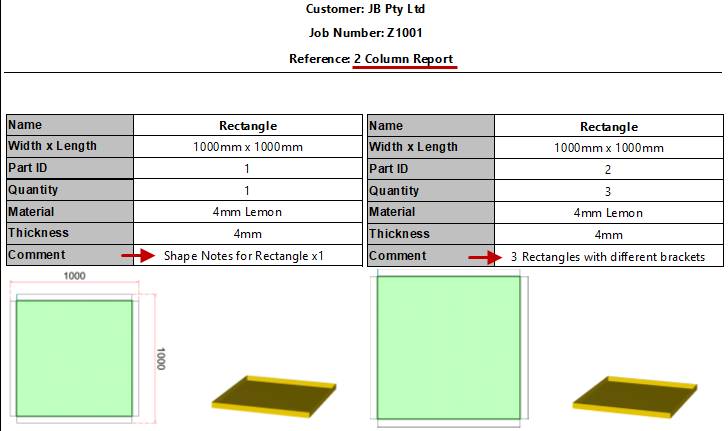
Example: Reports show dimensioning
This is an example of the 2 Column Report that provides Width x Length and diagrams with dimensioning if added (see Part Dimensioning above).
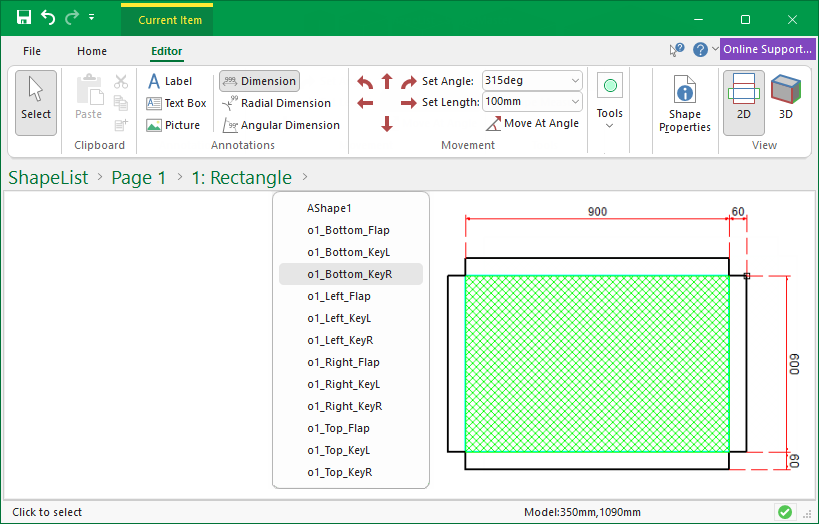
Example: Current Editor : Part
The following shows the use of dimensioning on a rectangle part.
Bow Tie: Option for Open or Closed Contour corner clean routes.
General: Direction of V cuts on Ends of flaps reversed for better machining results of open contours (?)
Fixing Slots : Ability to specify a ramp in value to slop the entry of the slot.
Fixing Slots : Ability to specify the corners to be rounded (filleted).
Rectangle (Multi) : Option to Slope Top of overall shape
Additional Fold Lines - Options included to add point to point 'Fixed Position' fold lines and Existing Fold Line options relabelled as 'Relative Position' Fold Lines
Area of Shape - displayed on Local Properties page and property ('ShapeArea') made available to allow export via LabelXMLExtras
Rectangle (and Multi) : Ability to import a DXF shape as the border
Rectangle (and Multi) : Corner Chamfers - Ability to control with angles
Rectangle (Multi) : Ability to move text label between sections (or have on all Sections). Ability to adjust text height locally.
Polyshape : Shape added (a flexible shape with no flaps)
'Play' button added to show shape folding and 3D Fold automation buttons
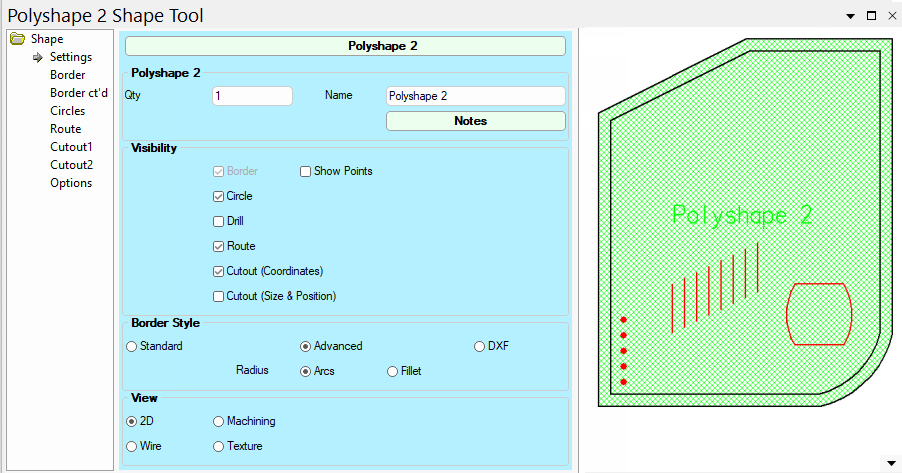
The Polyshape part will let you create a completely different type of shape with ShapeMaster.
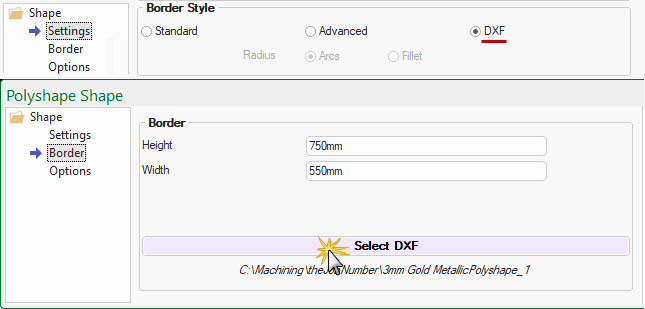
This part lets you create an asymmetric border or import a DXF as a border (Border Style options shown). You can also add in slots, holes, routes and cutouts as required.
This is available on all shapes. For a Polyshape, use the DXF radio button to enable on the Settings page and Select DXF on the Border page.
Datasource : Ability to have up to 2 x Sub-Categories for material selection.
Datasource : Ability to have up to 3 x independent drop down lists based on datasource.
Finish (fin) row now available in datasource (with ability to specify if it (a) calculated and how; (b) Input when is material selected; (c) Maintained as part of of a stored material; [any input/edit can be from a dropdown or typed]).
3 x Miscellaneous (mx1, mx2 and mx3) rows now available in datasource (with ability to specify if each (a) is in use; (b) the input is a drop down lookup; (c) the input can typed; (d) is calculated and how).
Cost (cst) now has ability to specify if and how the Cost per area is calculated.
Code (cod) now has ability to specify if and how the Code (when not used as the key) is calculated.
Name (nam) now has ability to specify if and how the Name (when not used as the key) is calculated.
Setup and Export added to allow QR codes on labels via LabelXMLExtras
Local Properties : Ability to define per job and use on each shape
Weep Holes : Auto Centre option added and Minimum spacing option added
Materials support for selectable reverse face colour
MaxCut Export : Includes groove offsets