
ShapeMaster User Guide
The position controls are the most common controls and are normally only available after placement.
These controls are the least frequently used because every drawing object has them but there is rarely a need to position an object manually.
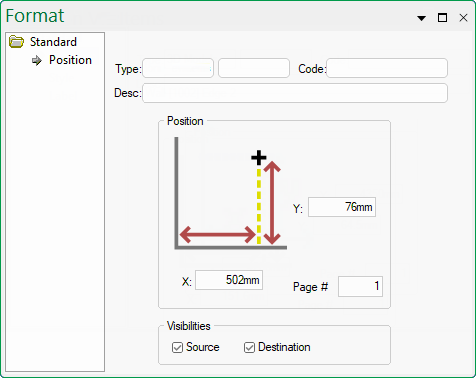 |
The X and Y edit boxes hold the current horizontal and vertical location of the object on the drawing page, relative to the lower left corner of the page. The values are real World distances, so several metres would fit across the page depending on the drawing paper size. You can enter negative values but the object would move off the drawing page.
The Page # edit box is used to show or set which drawing page the object appears on. You can move an object to another page simply by changing the value in this box. Another way to move an object to another page is to right-click it and select "Move to Page".