ShapeMaster User Guide
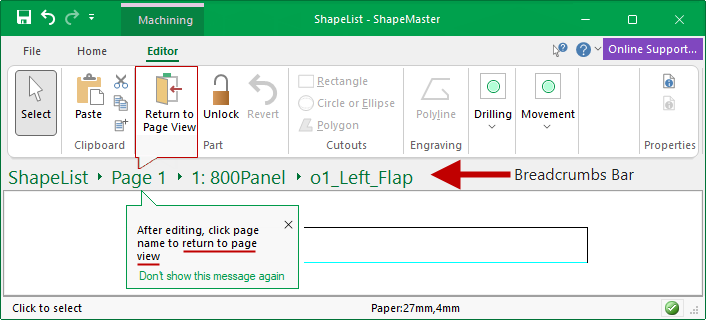
Breadcrumbs Bar within the title areas is used to navigate your way around shapes and parts. This makes it much quicker to move in and out of shape editing and back to list view or straight to another shape part for editing.
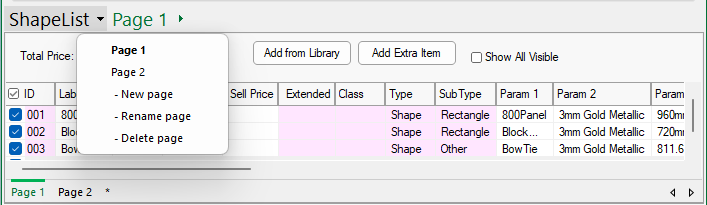
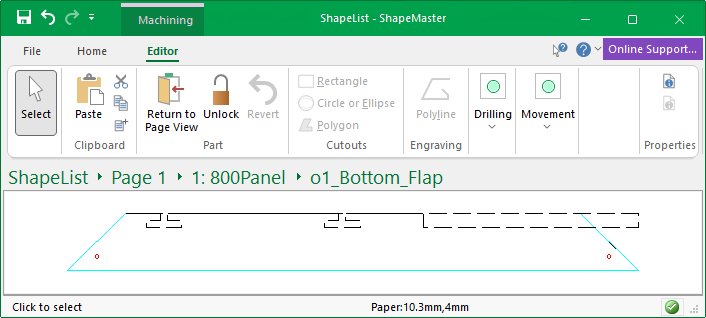
The breadcrumb bar, as per the example below, displays the name of the data file and provides drop list menus allowing you to navigate pages, shapes and parts.
To return to page view simply click on the page name on the Title Bar.
When in Machining Editor mode, as shown above, the ribbon command button is also available, .
The name of the currently opened Data file is displayed in the Title Bar.
The first menu drop list relates to the drawing page/s. It provides a quick way to:-
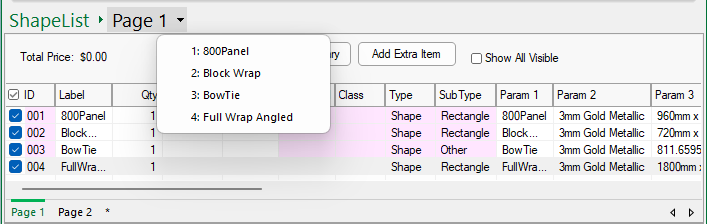
The second menu drop list relates to all shapes/items placed on the selected drawing page. This includes walls and elevations etc.
In this example, the drop list menu for 'Page 1' provides details of all shapes placed as well as other items such as an elevation view.
drill down to an individual list item by selecting from the list.
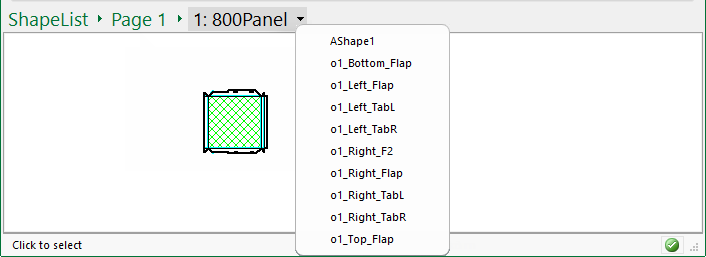
The third menu drop list presents a list of parts for a selected shape, allowing each part to be viewed individually.
This means you can:-