ShapeMaster User Guide
The Setup > Display page of the Catalog/Drawing Properties provides options that allow you to set how the shapes are displayed.
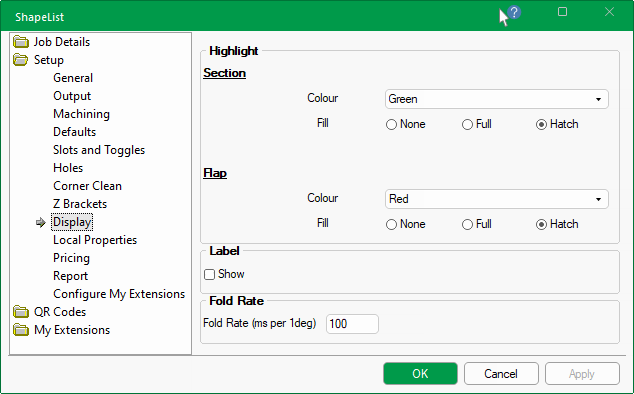
The Colour and Fill of shapes section and flap can be customised for display in 2D view, which are presented in both the Main window and the Preview pane.
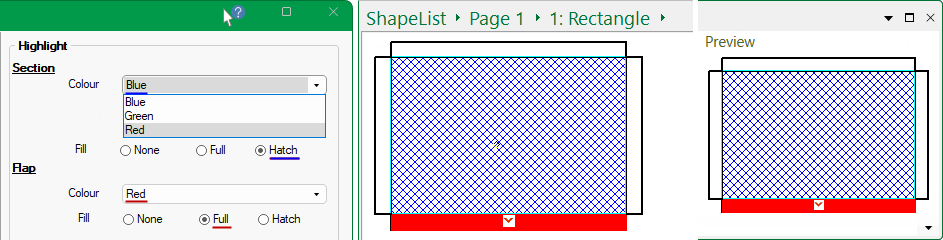
Colour can be selected from the drop list i.e. Blue, Green or Red.
Then select whether you want the object to have a Fill pattern by using the applicable radio button i.e. None, Full or Hatch.
The Shape Label name can be displayed in 2D view, in both the Main window and the Preview pane.
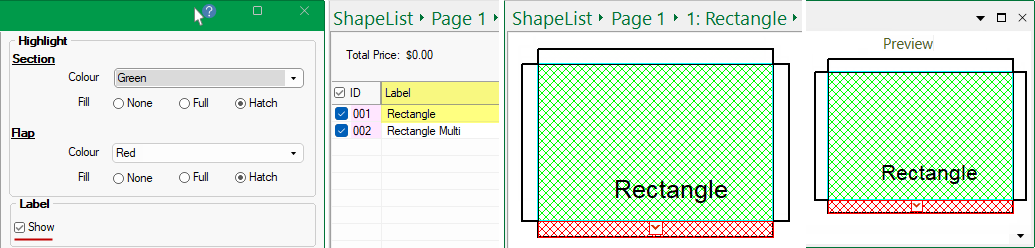
To Show the shape name Label, simply tick the check box. This can be overridden at shape level on the Shape > Options page.
This is the speed that you want the preview of your shape to fold at. The default is 100 and the higher the number the slower the fold rate.
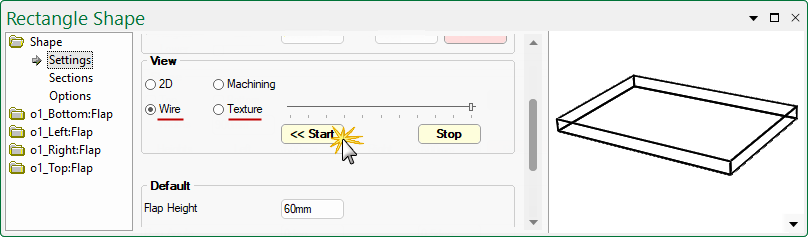
The example shows the rectangle, in Wireframe view, completely folded by using the Start and Stop buttons below the slider.