ShapeMaster User Guide
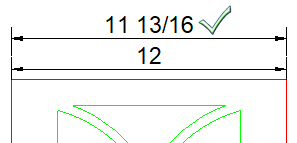
You will notice that if you have your Length Units set to "Inches" [F10] Options, you will not get the fraction after the inches measurement. i.e. 20 1/3"

This can easily be changed by following these steps:
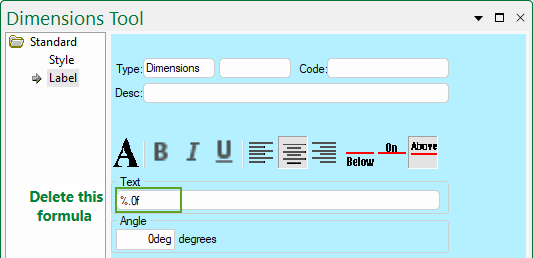
During DXF Exports, when working in inches /16 or /32 units, it will revert to 4 decimal places inch units for precision.
| Result | Format Used | Comment | Notes |
|---|---|---|---|
 |
%/32F | accurate to 1/32", show units |
With fractions, the precision indicates the smallest fraction to use (1/32" in this case). Fractional remainders are always simplified, i.e. 14/32" will be written as 7/16". |