ShapeMaster User Guide
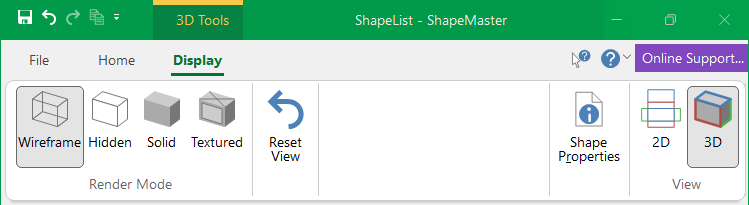 |

Displays the current 3D image in Wireframe mode. It only displays the edges of each section and does not draw any flat faces. Wireframe mode is the fastest to draw because it is only a line drawing.
Displays the current 3D image in Hidden mode. Similar to wireframe, except that all edges that would not normally be seen have been erased. This makes the image easier to visualise, but takes longer to draw.


Displays the current 3D image in Textured mode, i.e. "Paints" photo-realistic textures onto each surface in the drawing.
ShapeMaster uses a default set of materials that can be customised to the user’s preference.

Moves the camera position in 3D mode back to its original position and angle. This is useful if you lose the image by accidentally moving it out of the view window.
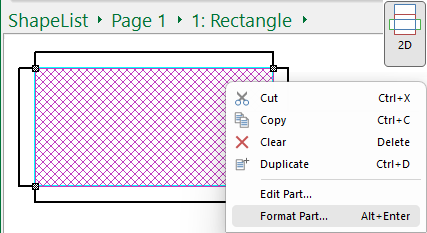
Allows you to format the current shape. This does the same as selecting Format Part... from the right click menu when in 2D View, as shown below.
Clicking on this command button will take you to the Current Item Editor where you can place annotations such as text boxes, labels and dimensions which do not appear in 3D views.