
ShapeMaster User Guide
In This Topic
    DXF Layer Colours
    In This Topic

    All machining layers can have their DXF layer colours customised. The DXF layer colour (a whole number).
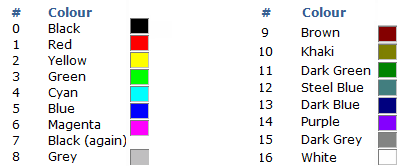
    The color used in the DXF is usually unused by machining but very helpful for viewing. When DXF files are created in the design applications, different types of machining operations are separated onto different layers in the DXF files. The geometry on all the Layers in a file represents a single part, and all the machining such as drilling, milling and cutting, that is to be performed on that part.


    Click to Expand

    Click to Expand

    Using DXF Colours

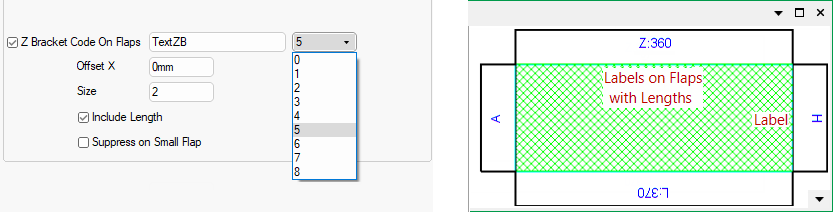
    One example of the use of DXF colours is when displaying labels in the preview pane, shown right in blue.

    The colour for display is set in the Catalog/Drawing Properties where the number 5 has been selected from the drop list.
    Click to Expand

    Click to Expand